Guide
 DostGame
1 min read
10,342 views
DostGame
1 min read
10,342 views
Where to Find Your PUBG Mobile Player ID
Find the correct numeric Player ID and avoid confusing it with a nickname.
DostGame
1 min read
10,342 views
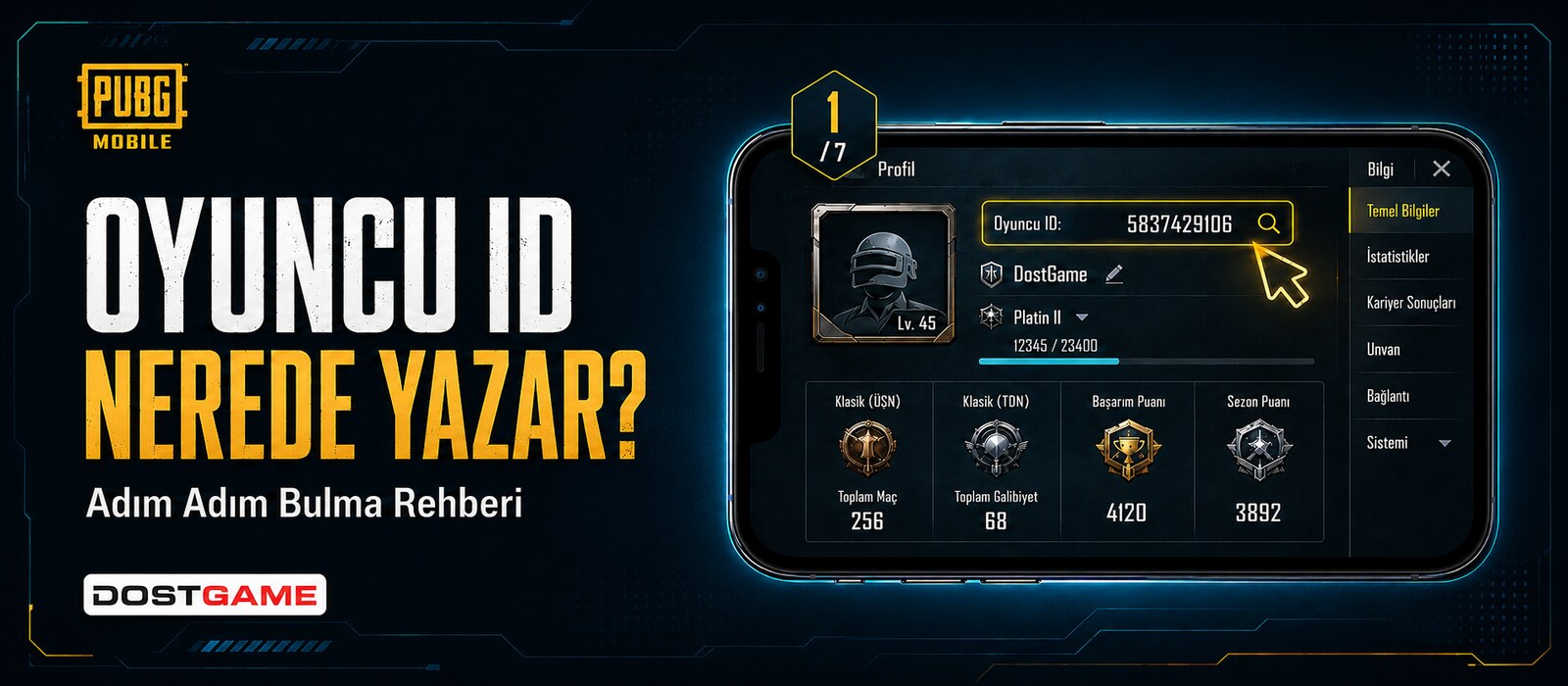
Where to Find Your PUBG Mobile Player ID. Find the correct numeric Player ID and avoid confusing it with a nickname.
Check global top up
Global PUBG Mobile top up is processed through the numeric Player ID and no redeem code is sent. Always read the current product page and verify destination-account compatibility.
Player ID and security
Copy the 8–12 digit Player ID from the in-game Personal Center. A nickname, email, or profile name is not the Player ID. Check the first and last digits before paying.
Never share a password, cookie, OTP, or social login. Keep the order number and submitted ID. If an ID is wrong, contact support immediately before processing is completed.
Frequently Asked Questions
Is PUBG Mobile top up global?
The Top-Up products covered here are offered as Global; check the product page for current compatibility.
Is a password required?
No. Only the correct numeric Player ID is required.
 Guide
Guide
 Guide
Guide
 Guide
Guide